


This article/video is sponsored by InPlay, Inc. However, the opinions expressed by the author are his own and were not influenced by the sponsor.
Introduction
In some cases, you may want to build a very simple Bluetooth Low Energy device that sends out sensor data like a temperature reading or the state of a particular GPIO input ... or maybe you just want to quickly create a Bluetooth Low Energy device that sends out an ID so you can identify it by a scanner device ... or maybe you just want to build a Bluetooth beacon that simply advertises a chunk of data for testing purposes.
Traditionally, in order to accomplish any of the above tasks, you'd have to:
- Know how to develop firmware or mobile app development
- Understand how Bluetooth Low Energy works
- Learn the APIs provided by your selected Bluetooth Low Energy platform/development kit
Getting to the level of knowledge and experience required to achieve these skills takes a long time (weeks, months, and sometimes even years!).
If you've ever worked on a Bluetooth LE project from scratch, no matter how simple the end product is, then you'll know that there are some frustrating and not-so-trivial obstacles that need to be overcome just to get started with any traditional Bluetooth Low Energy development kit.
This is what a company called InPlay, Inc. set on a mission to eliminate with their recently released NanoBeacon™ IN100 platform [Press Release].
The way they accomplished this is by developing a chipset (the NanoBeacon™ IN100) that requires:
- No software programming
- Minimal knowledge of how Bluetooth Low Energy technology works
All this while creating an ultra-low-power and ultra-low-cost offering that many other vendors have not been able to achieve. We are talking under $1 for an end-product Bluetooth beacon device (no external peripherals involved)!
In today's post and video (below), I'll be covering:
- A high-level overview of the NanoBeacon™ IN100 evaluation kit including the different technical specs and features of the IN100 chipset.
- An overview of the NanoBeacon™ Config Tool, which is the PC software that is used to configure the device.
- A walkthrough of a demo showing how you can use this platform to create a Bluetooth beacon in a matter of minutes (iBeacon, Eddystone, custom format).
Before we get into the details of the platform and the tutorial, let's give a short intro and background on the company InPlay Inc.
Who is InPlay Inc.?

InPlay Inc. is a group of semiconductor industry veterans with a proven track record of delivering innovative mixed-signal/RF wireless communication SoCs.
InPlay began in 2017 with a focus on enabling extremely fast communication between hosts and many sensors. They accomplish this via an innovative protocol designed into the hardware. It is designed with scalability, low latency, and ultra-low power in mind. As a result, the SwiftRadio ™ product lines (IN600 and IN300) are available in the market today.
The NanoBeacon IN100 is a new product line from InPlay available to the market since Q4 of 2021 that aims to enable the next generation of active RFID applications and wireless sensors.
NanoBeacon was architected with ease of use, low-cost, minimal physical size, and long battery life as the main objectives.
The NanoBeacon™ IN100 SoC
The promise of the IN100 is this:
To allow any product creator to easily build their own wireless applications without worrying about learning the complex Bluetooth protocol stack and embedded software development.
The package is also physically minimal, as small as 2.5mm x 2.5mm.
The way it works is by using a companion desktop application called the NanoBeacon™ Config Tool to connect to a programming board via UART over USB, which is then connected to the beacon tag.
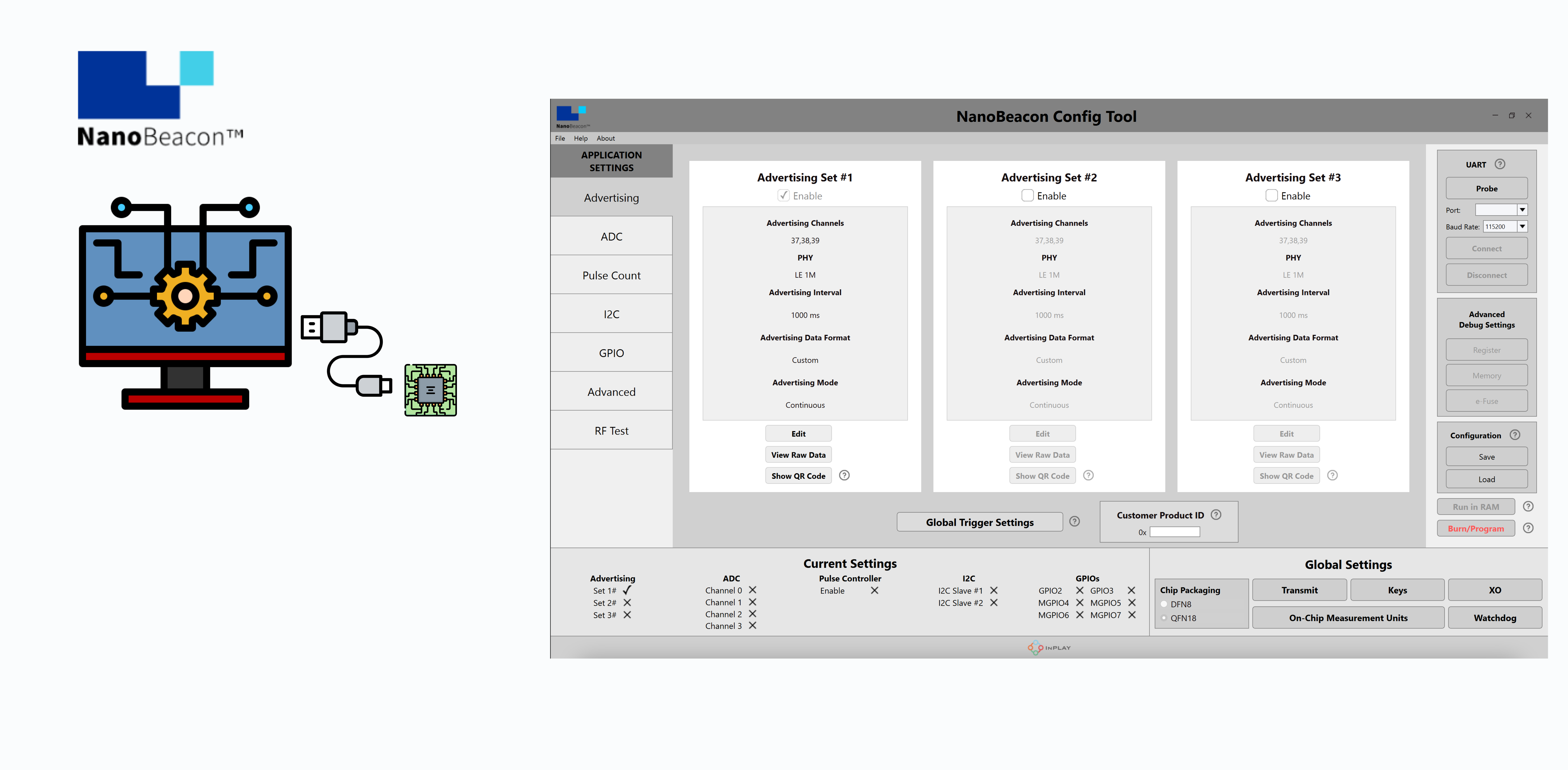
Once connected, the user can configure the tag with their own advertising data and in different formats (up to three distinct formats) and then test out the different configurations.
Once the testing phase is complete, the user can then flash the configuration to IN100's One-Time Programming (OTP) memory, disconnect the tag, insert a tiny coin-cell battery (CR1220) and it is ready to go.
The tag includes a couple of internal sensor interfaces: a temperature sensor and battery voltage measurement. The IN100 also supports a few external interfaces including UART, I2C, GPIO, pulse counter, and ADC.
Here's what the evaluation kit and programmer board look like:
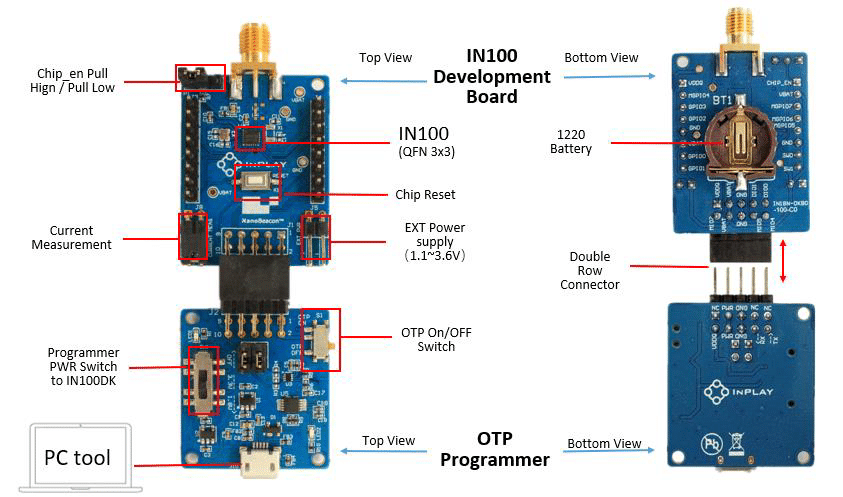
Some of the key features of the IN100 chipset are:
- Bluetooth 5.3 compliant
- iBeacon, Eddystone, and custom advertising data format options
- Ultra-low power consumption:
- Avg. 1.4uA @ 10s as advertising interval
- Avg. 650nA @ 1min as advertising interval
- Sleep mode < 650 nA with 32 kHz RC ON
- Enhanced security:
- AES-128 based authentication
- AES-128 based encryption
- Privacy protection: resolvable private address
- Anti-Cloning: time-varying advertising payload
- 1-wire bus for I/O and space-constrained applications
- Built-in ultra-low leakage load switches
- Wide operating voltage range (suitable for all types of batteries): 1.1V~3.6V
The IN100 SoC is available in DFN8 (2.5mmx2.5mm) and QFN20 (3mmx3mm) package configurations.
Here are a few images of the evaluation kit (packaging, programming board, and battery-powered tags):
Hardware and Software Requirements
To get started with developing with the platform, you will need the following:
- The NanoBeacon™ IN100 Evaluation Kit (includes one programming board and three tags) – can be purchased from DigiKey here.
- A Windows PC, but you could also run it within Windows in a Virtual Machine (e.g. VirtualBox, Parallels, etc.)
- The NanoBeacon™ Config Tool application; can be downloaded from here.
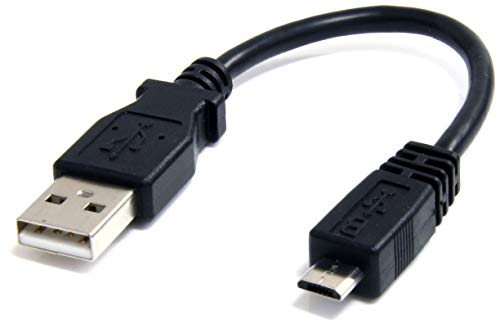
- A USB Micro-B to USB A cable (used to connect the programming board to the PC):
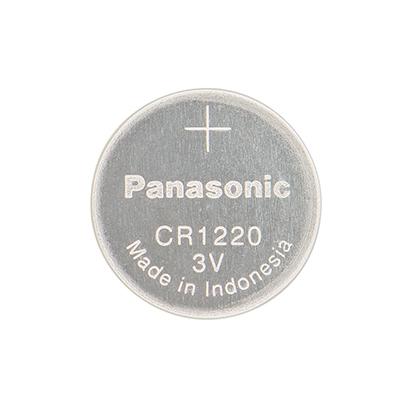
- A CR1220 3 Volt battery (to power the tag after programming the OTP and separating it from the programming board):
- A Bluetooth Low Energy scanner application (mobile or PC-based).
Examples of this include BLE Hero app for iOS, Nordic nRF Connect (iOS, Android, Desktop).
Demo and Overview
Check out the YouTube video above for a full demo showcasing how to configure and test out the IN100 to broadcast:
- Apple's iBeacon format
- Google's Eddystone format
- Your own custom beacon data format
Summary & Conclusion
As we've seen from the tutorial and demo, programming a beacon application using the NanoBeacon IN100 platform is very simple and straightforward and can be done in a matter of minutes, instead of weeks and months as is the case with most other Bluetooth Low Energy development platforms.
Be sure to check out the InPlay, Inc. official website for more information on the NanoBeacon™ IN100 and their other products:
Visit InPlay Inc.'s Official Website


