


If you've ever tried to test a Bluetooth Low Energy (Bluetooth LE) device at your desk, you know the frustration. Your phone is advertising. Your neighbor's smartwatch is broadcasting. The office Wi-Fi access point is stomping all over the 2.4 GHz band. And somehow, your test results look different every time you run them.
The root problem is straightforward: ambient RF interference can make certain Bluetooth LE tests unreliable in an uncontrolled environment. If you're measuring received signal strength, characterizing advertising behavior, or validating a scanning implementation, the wireless noise floor in a typical office or home lab can shift your results by 10–20 dB from one run to the next. Not every test requires isolation — but some scenarios absolutely do.
So I decided to do something about it. I picked up a Ramsey STE3000M RF shielded test enclosure — a benchtop Faraday cage designed to isolate your Device Under Test (DUT) from the outside world. And in this first episode, I wanted to answer one straightforward question: does it actually work? Let's find out.
In this post, we'll cover:
- What an RF shielded enclosure is and why it matters for Bluetooth LE development
- A simple experiment: scanning for Bluetooth LE devices from inside the chamber with the door open vs. closed
- The results (spoiler: they're dramatic)
- Why this matters for your own Bluetooth LE testing workflow
- What's coming next in the "Inside the RF Chamber" series
What Is an RF Shielded Enclosure?
An RF shielded enclosure (sometimes called a Faraday cage or RF test chamber) is essentially a metal box designed to block electromagnetic signals from passing through its walls. Let's go over how this works. The concept goes back to Michael Faraday in the 1830s — a continuous conductive shell prevents external electric fields from reaching the interior.
The Ramsey STE3000M I'm using is a benchtop model with an interior of 17.2" W x 10.2" D x 8.6" H — large enough for a few development boards, a dongle or two, and some cabling. It's rated for greater than 85 dB of shielding at 2.4 GHz, which is the frequency band Bluetooth LE operates in. To put that in perspective, 85 dB of attenuation means an outside signal is reduced to roughly 0.000003% of its original power by the time it reaches the inside of the chamber.
The enclosure also has a viewing window (RF-shielded, of course), RF-shielded gloves for manipulating devices inside without opening the door, and connector feedthroughs for USB and other cables. That last part is key — it lets you control a device inside the chamber from your laptop sitting comfortably outside.
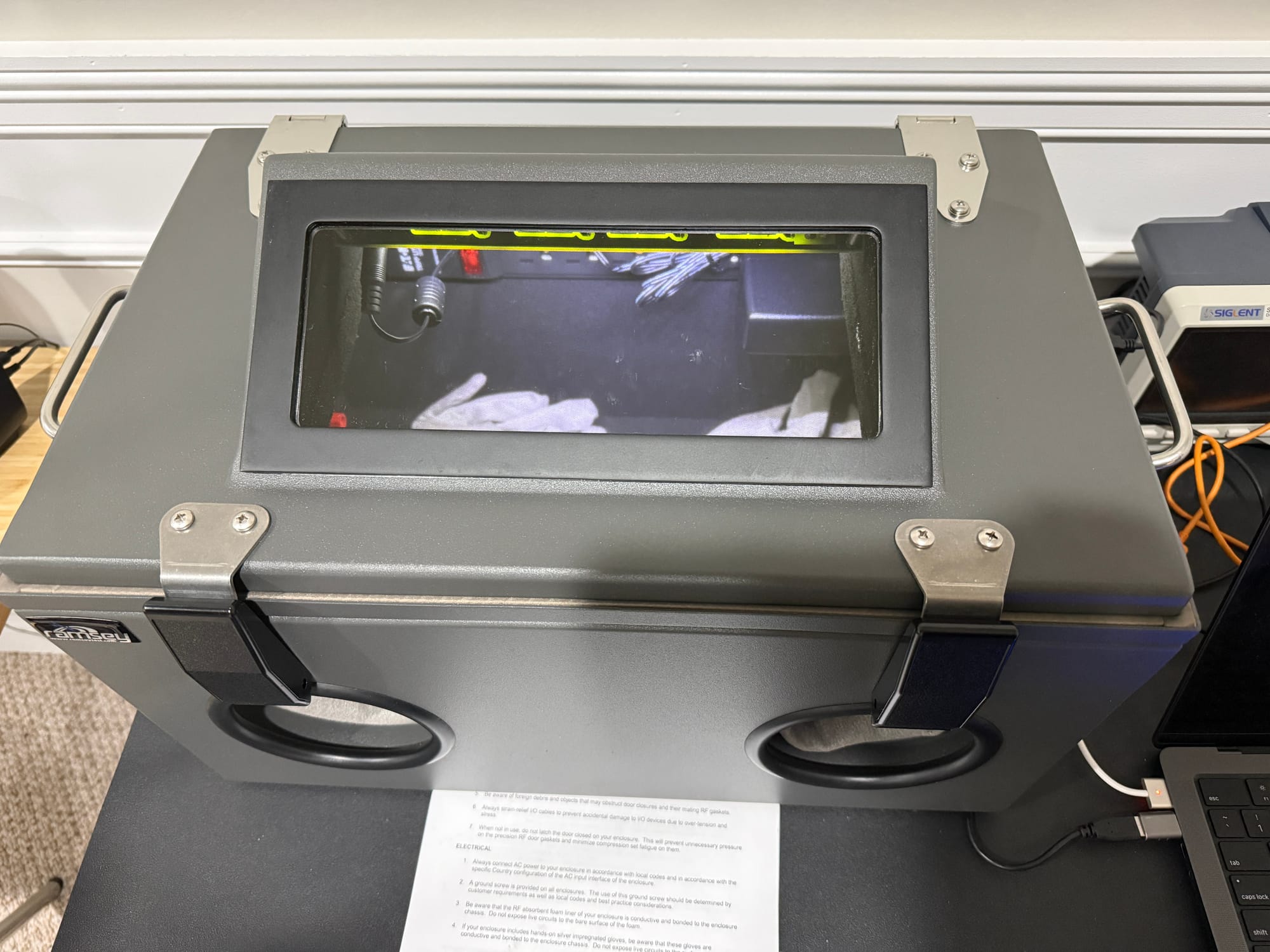
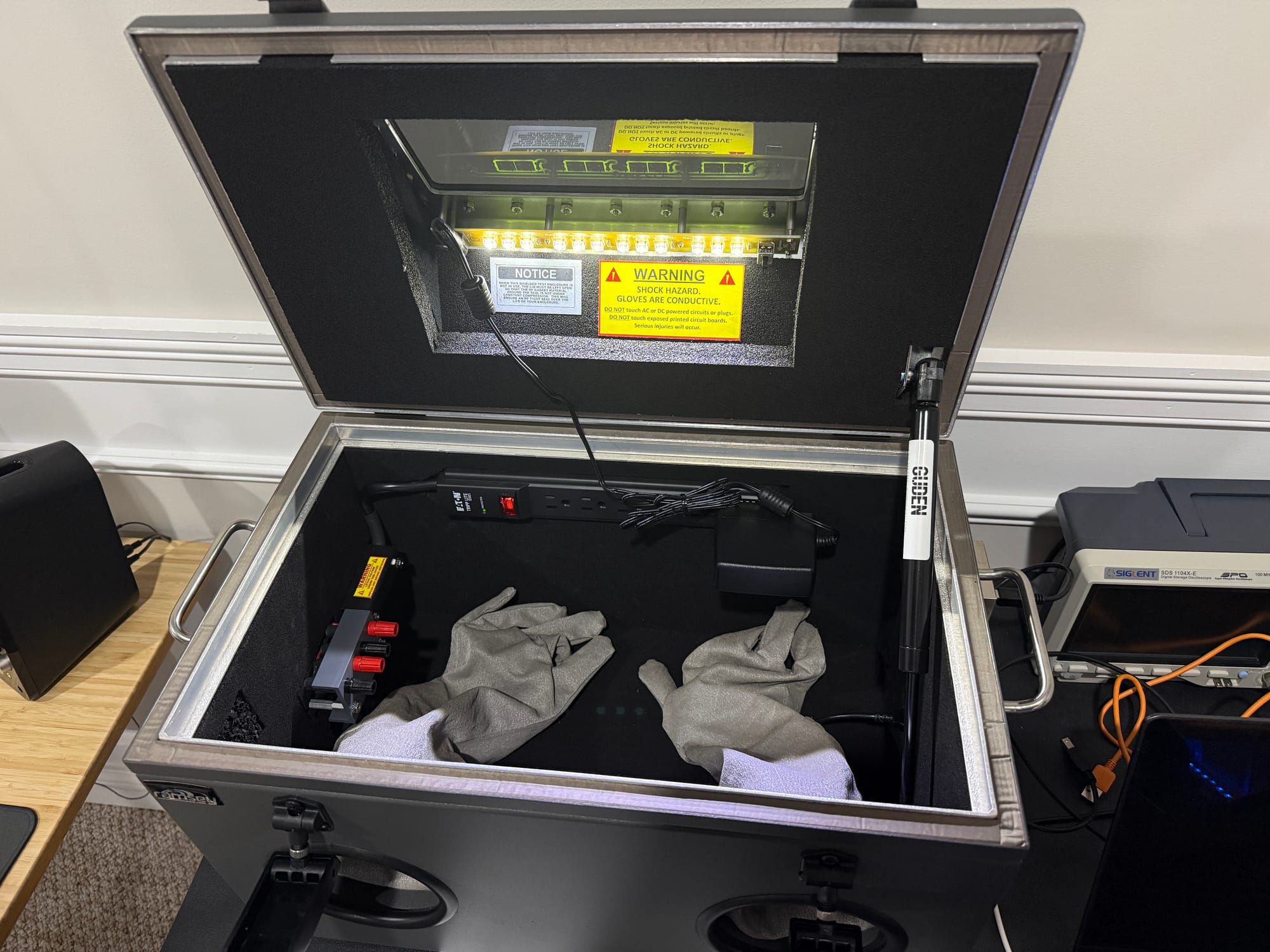
The Test: Scanning from Inside the Chamber
For this experiment, I wanted to keep things as simple as possible. Let's take a look at the setup. I used a BleuIO dongle — a USB Bluetooth LE dongle that you can control entirely through AT commands from a serial terminal. No SDK, no firmware flashing, no IDE. Just plug it in, open a terminal, and type commands. I recommend these for quick Bluetooth LE experiments because they remove all the setup friction. You can pick one up from our shop — the Standard is $29 and the Pro is $45.
Here's what I did:
- Connected the BleuIO dongle to my laptop via the chamber's USB feedthrough (the dongle sits inside the chamber, the laptop stays outside)
- Set the dongle to central role with
AT+CENTRAL - Ran
AT+GAPSCAN=5to scan for nearby Bluetooth LE devices for 5 seconds — with the chamber door open - Recorded the results
- Closed the chamber door (both latches engaged)
- Ran the exact same
AT+GAPSCAN=5scan again - Recorded the results
- Opened the door and scanned one final time to confirm everything came back
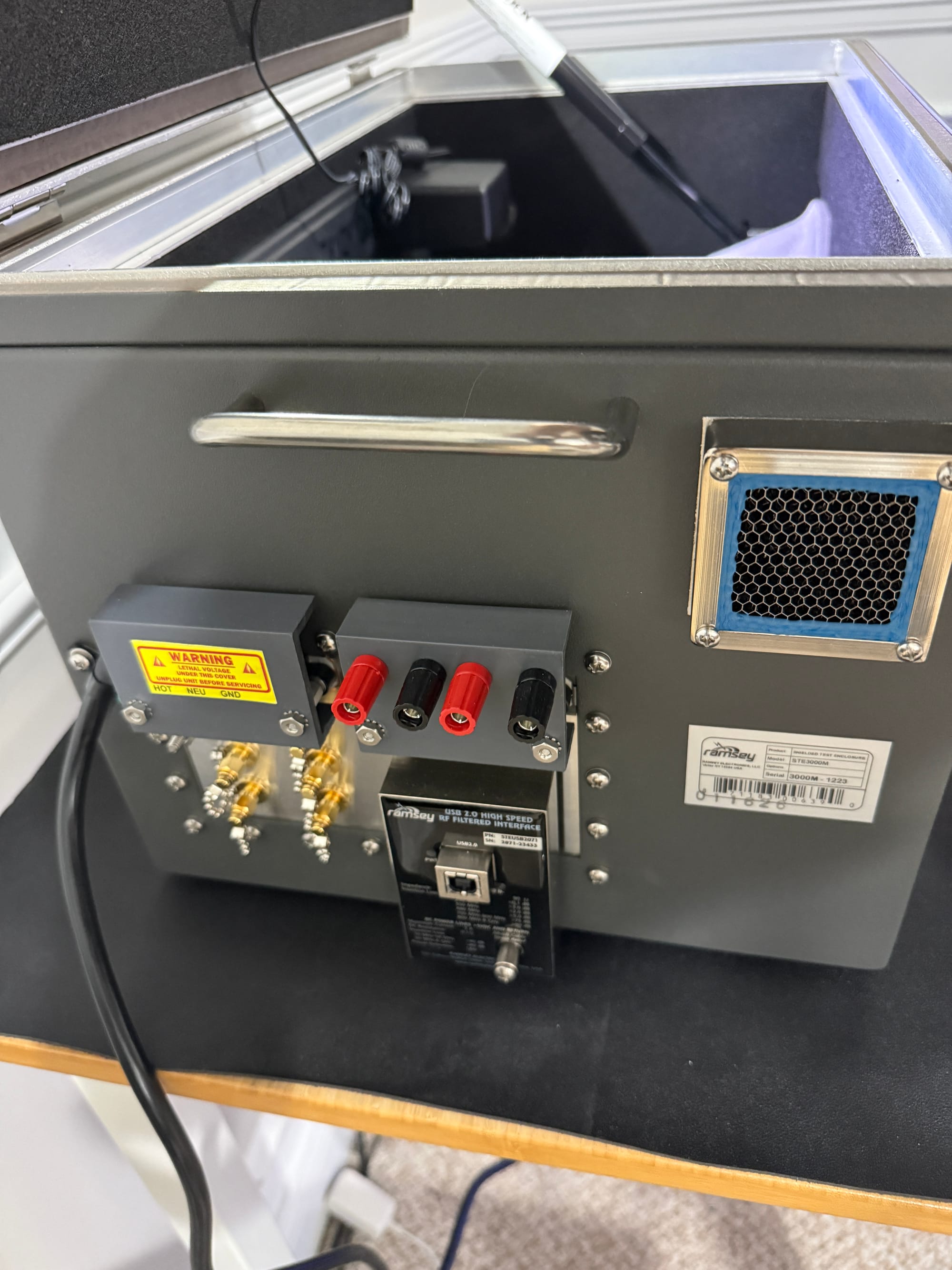
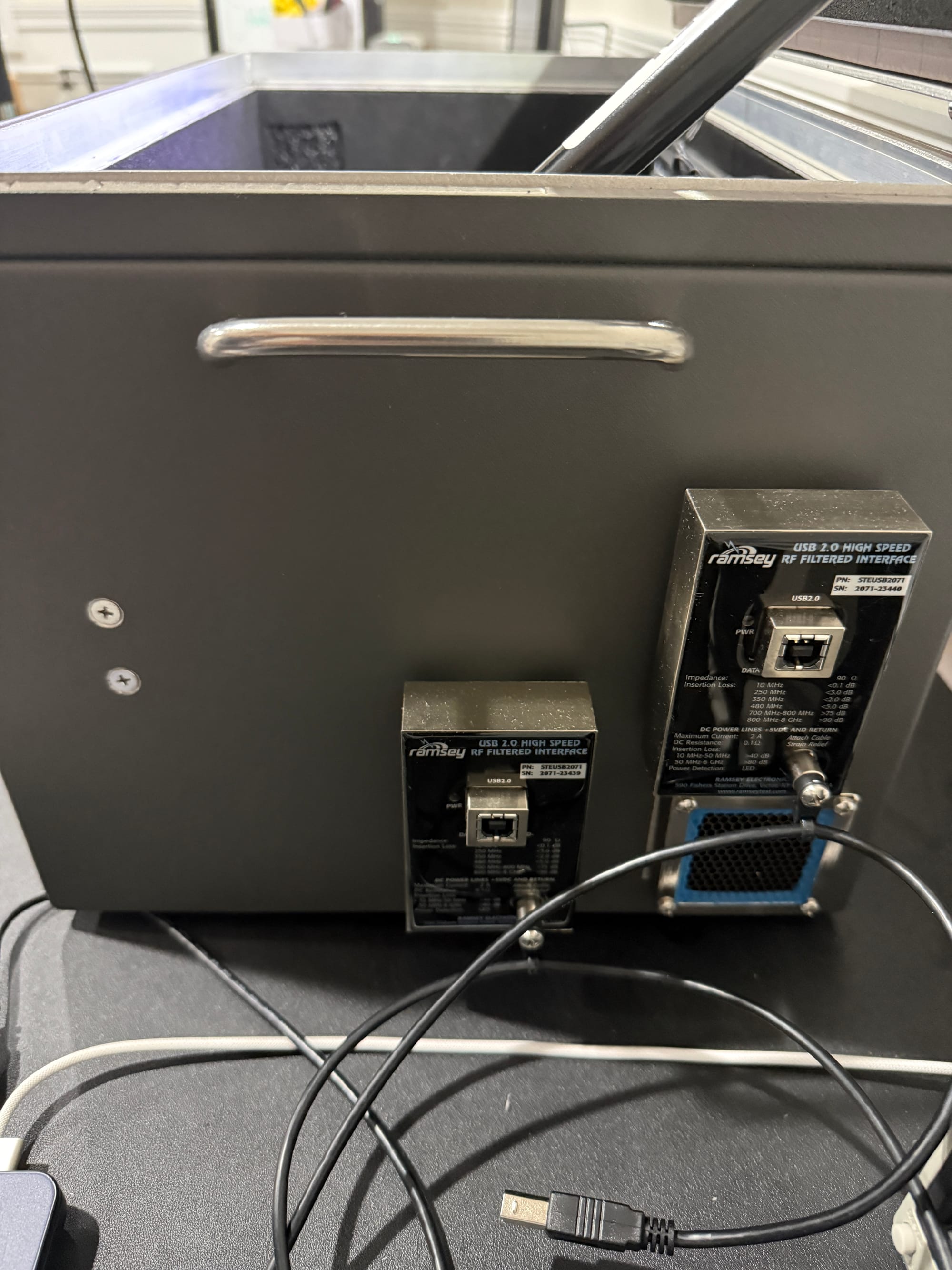
Let's walk through what happened.
The Results
Door Open: Full Visibility
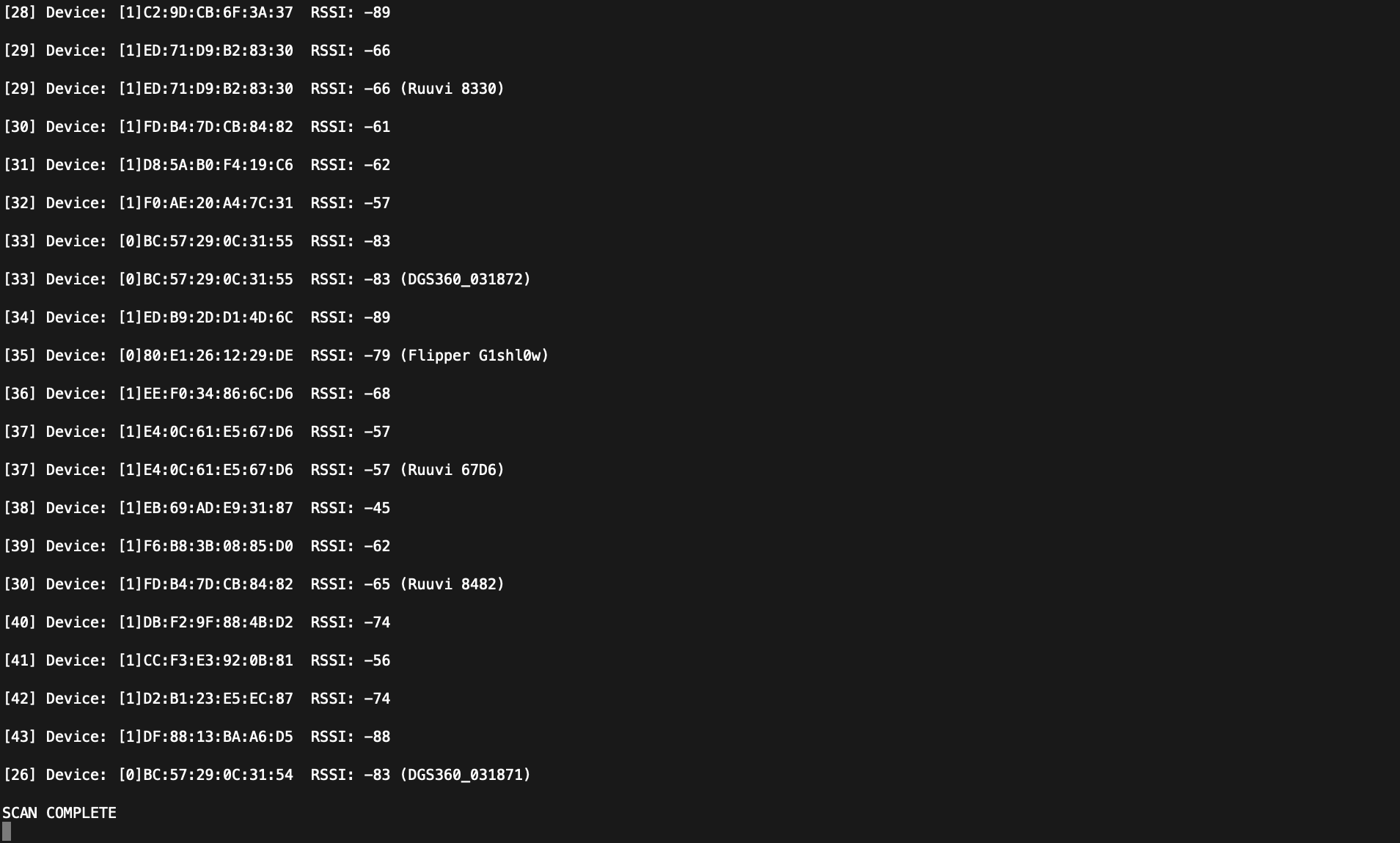
With the chamber door open, the BleuIO dongle had a clear view of the RF environment in my lab. The scan picked up 43 devices in 5 seconds — my phone, nearby headphones, smartwatches, Ruuvi beacons, and a handful of other Bluetooth LE peripherals I didn't even realize were broadcasting.
The Received Signal Strength Indicator (RSSI) values ranged from -45 dBm (strongest nearby device) down to -96 dBm (weakest). A typical office or home environment will usually show somewhere between 5 and 20+ devices depending on how many Bluetooth LE gadgets are in range.
Door Closed: Radio Silence
Then I closed the door. Let's just say the difference was not subtle.
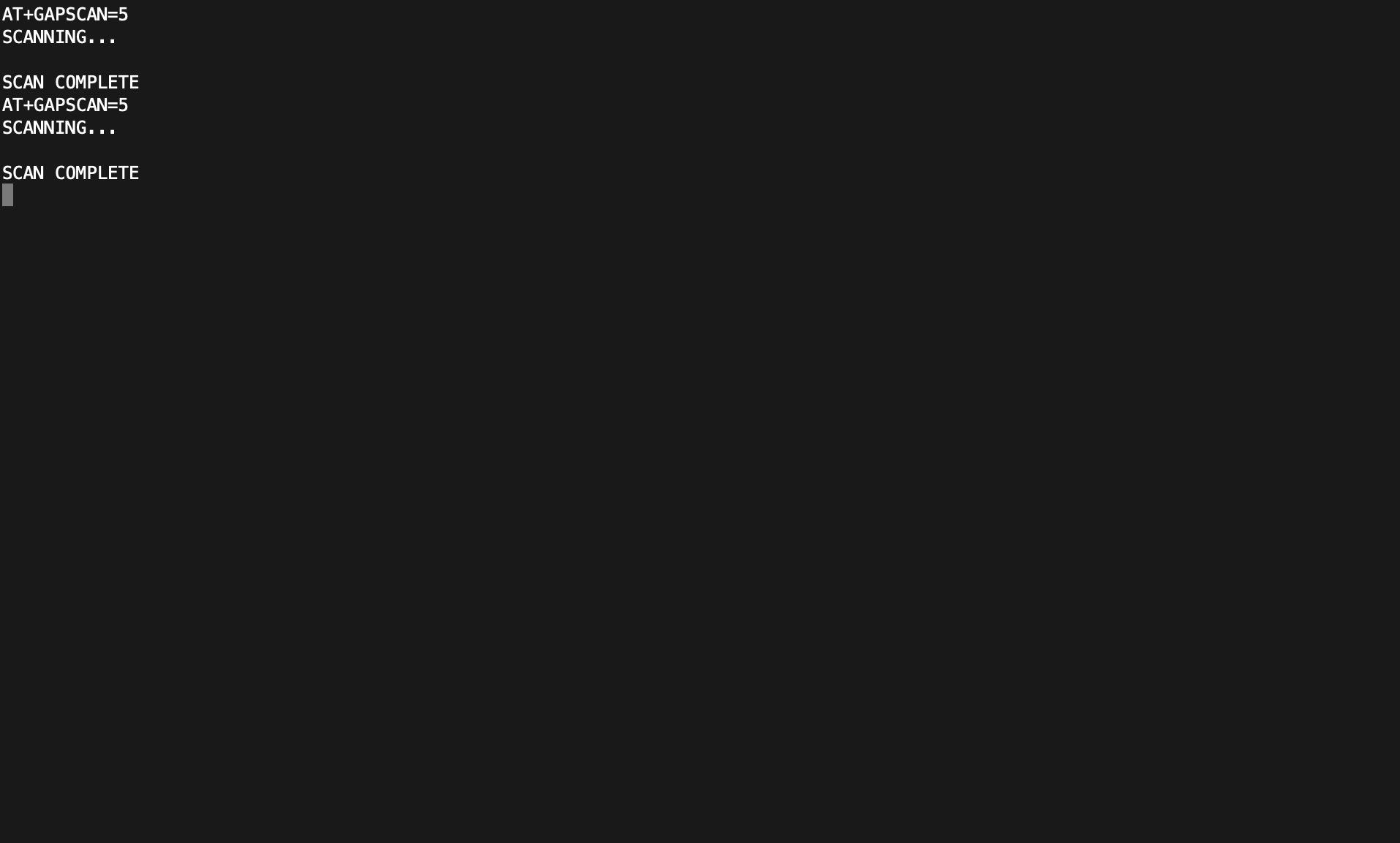
The same 5-second scan returned zero devices. Not one. Not even a faint signal from my phone sitting right next to the chamber. I ran the scan twice to make sure — both times, the dongle reported nothing but silence.
Door Reopened: Everything Returns
Opening the door and scanning again brought all the devices right back — but here's the interesting part. I started the scan while I was still releasing the second latch, and devices were already appearing before the door was fully open. The RF seal breaks as soon as the latches begin to disengage, which tells you just how critical that mechanical seal is to the chamber's shielding performance. Once fully open, the RSSI values essentially matched the first scan, confirming that the chamber — and nothing else — was the variable.
Why This Matters for Bluetooth LE Developers
You might be thinking, "Okay, it blocks signals. So what?" Let's step back and talk about why this matters in practice.
If you're developing Bluetooth LE firmware or applications, there are several scenarios where ambient interference can ruin your day:
- RSSI-based distance estimation — If you're building anything that relies on signal strength (asset tracking, proximity detection, indoor positioning), you need a known-good baseline before you can trust your field data. A shielded enclosure lets you verify your device's RF output and measure received power at known TX levels — without a stray Wi-Fi router or someone's smartwatch shifting your numbers.
- Advertising and scanning behavior — When you're verifying that your device advertises at the correct interval, with the correct data, on the correct channels (37, 38, and 39 for primary advertising), you don't want to sift through dozens of unrelated advertisement packets to find yours.
- Connection parameter testing — Testing connection intervals, slave latency, and supervision timeouts is much more reliable when you eliminate the possibility of external devices causing interference or collisions on the same channels (especially in the crowded 2.4 GHz ISM band). For example, if you're trying to measure how a specific connection interval affects throughput, you need to know that any packet loss is due to your parameters — not a Wi-Fi access point blasting on an overlapping channel.
- Compliance and pre-certification — While a benchtop enclosure isn't a substitute for a proper anechoic chamber, it's an excellent tool for pre-screening your device's RF behavior before you send it off for formal testing. For example, you can verify that your device's TX power output is within spec before spending thousands on a formal test lab.
If you're trying to verify that your device's TX power output matches what you configured in firmware, doing that in an open office means fighting a noise floor that shifts with every passing phone. Inside a shielded enclosure, you remove that variable.
What's Coming Next
This was Episode 0 — just a proof that the chamber works and a taste of what's possible. Let's take a look at what's coming next. The "Inside the RF Chamber" series will go much deeper. Here's what I have planned:
- Episode 1: What Does an RF Shielded Chamber Actually Do? — A proper tour and shielding effectiveness verification with real measurements
- Episode 2: How Much Signal Do Common Materials Block? — Testing drywall, glass, concrete, water, metal, and more
- Episode 3: TX Power — Does Cranking It Up Actually Help? — RSSI and power consumption at every TX power level
- Episode 4: 1M PHY vs. 2M PHY vs. Coded PHY — Real RF Performance — Conducted testing to find where each PHY breaks down
- Episode 5: Building a Repeatable RF Test Setup with Attenuators — How to simulate range without needing a football field
- Episode 6: Coexistence — What Happens When WiFi and Bluetooth LE Share the Same Space? — Live interference testing
Each episode will include hands-on procedures you can follow in your own lab, along with the actual data and analysis from my tests.
Wrapping Up
In this post, we covered what an RF shielded enclosure is, why ambient interference is a real problem for Bluetooth LE developers, and ran a simple but effective experiment: scanning for Bluetooth LE devices from inside the Ramsey STE3000M with the door open versus closed.
Here are the key takeaways:
- Ambient RF interference makes repeatable Bluetooth LE testing difficult in uncontrolled environments
- The Ramsey STE3000M provides over 85 dB of shielding at 2.4 GHz — enough to eliminate virtually all outside Bluetooth LE signals
- A simple scan test confirmed the chamber's effectiveness: 43 devices with the door open, zero with it closed
- Controlled RF environments are essential for baseline RF verification, advertising validation, connection testing, and pre-certification work
You should now be able to evaluate whether an RF shielded enclosure would improve your own Bluetooth LE testing workflow — and have a clear picture of what this series will deliver. If you've been struggling with inconsistent test results in your Bluetooth LE projects, this is the kind of tooling that can make a real difference.
Stay tuned for Episode 1, where we'll measure the chamber's actual shielding performance across the full 2.4 GHz Bluetooth LE band.


